
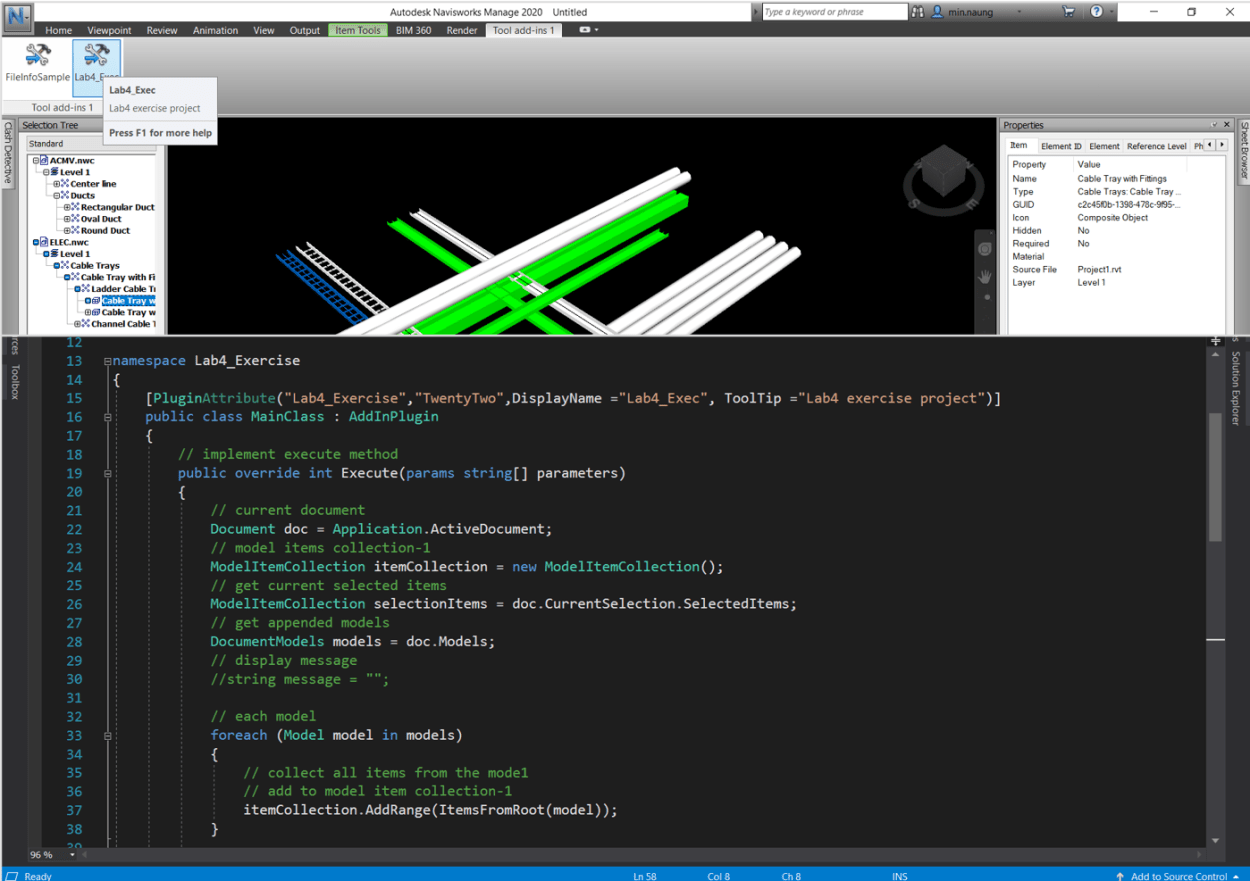
Welcome to the first tutorial of Navisworks® API series, this post is to cover one of Navisworks® SDK exercise which task is ” to create an Add-Ins that find the items which intersect with the currently selected items and highlight the intersect items ” . Yes, correct. It is a low cost cosplay, Clash Detection.

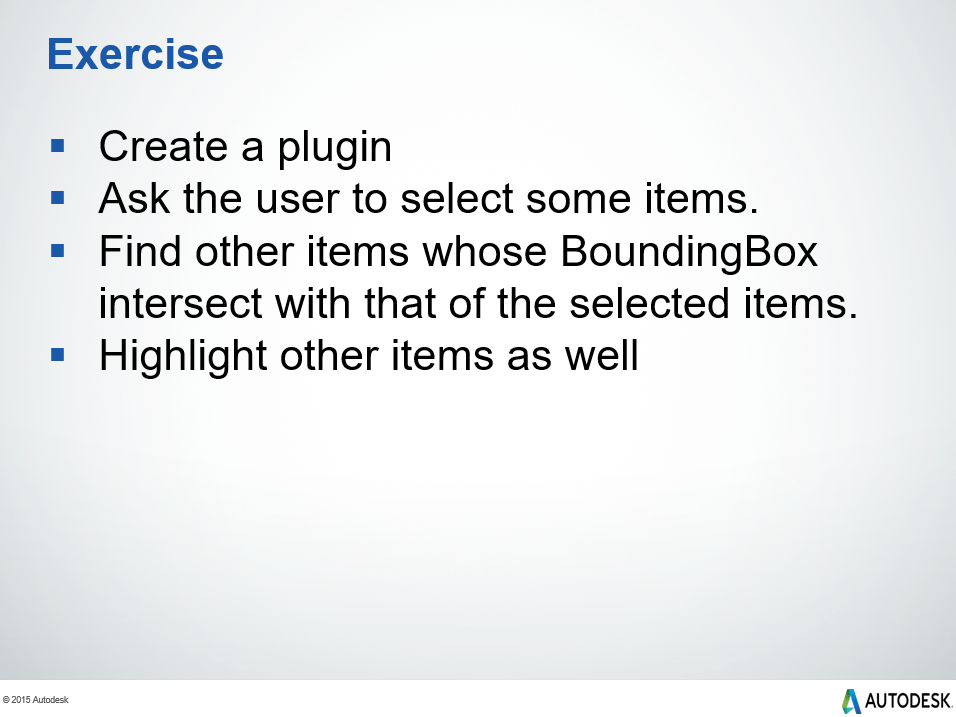

Let’s start our project by setting up Navisworks Add-Ins project in the visual studio, you can follow Creating Navisworks Add-Ins tutorial to set up the project. Before we write any line of the code, let’s do a little brainstorming on our objective and workflow. The objective is (repeat) ” to get the intersect items of the current selected items and then override with a color to these intersect items “. And the workflow as below:
- Get all the
Modelsfrom the current document and collect all the geometricModelItemfrom each of theModel. - Get the current selected items.
- Iterate collected items and selected items (nested loop), check the intersection by their
BoundingBox. - Override
colorthe intersect items.
For the first step we are going to write a method, ItemsFromRoot, to collect all the geometric ModelItem from a Model. In a model the top most ancestor is a RootItem and to get all the model items, use Descendants property. Additionally, only to collect items which have geometry, check the item’s geometry with HasGeometry property. (figure 1.1)
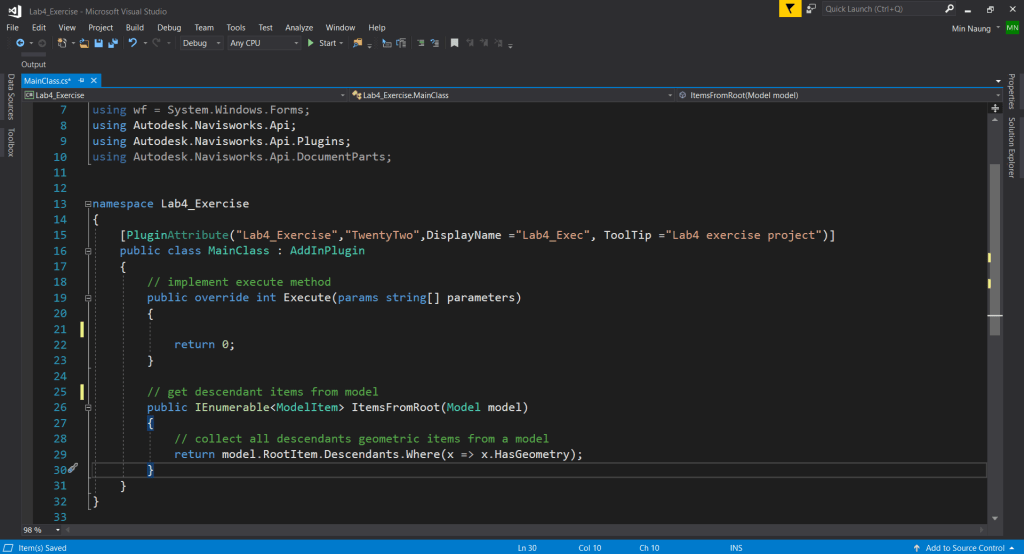
// get descendants from model item
        public IEnumerable<ModelItem> ItemsFromRoot(Model model)
        {
            // collect all descendants geometric items from a model
            return model.RootItem.Descendants.Where(x => x.HasGeometry);
        }
In the Execute method, create these variables : doc, itemCollection & selectedItems, and models to store the Document, ModelItems and Models object respectively. Get the current document from Application and store in doc. Construct an empty ModelItemCollection to store the model items and collect the current selected items from doc.CurrentSelection. Document Class has a handy property, doc.Models, to get all the appended models from the current document. (figure 1.2)
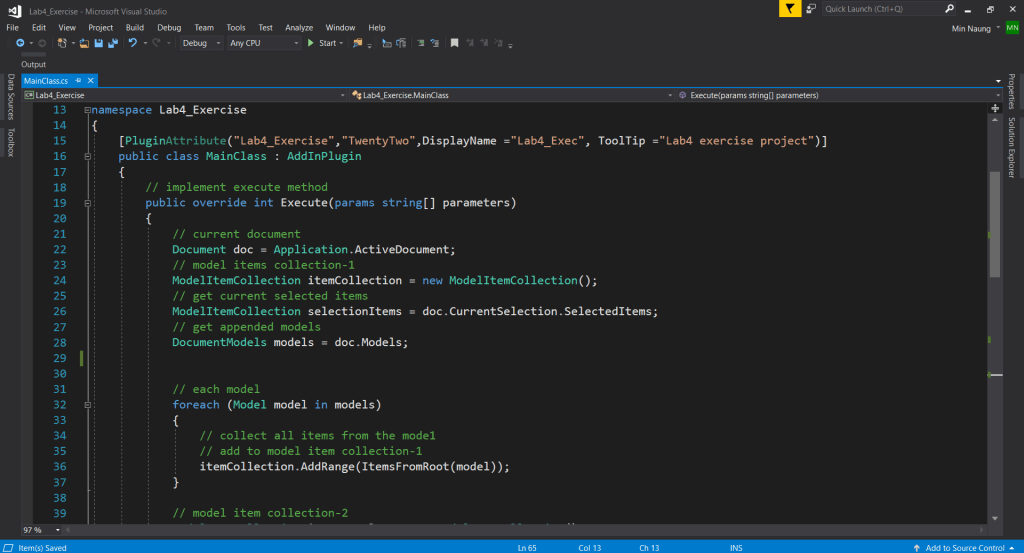
Iterate models to collect all the ModelItems from each of the Model by using ItemsFromRoot method and store in itemCollection variable. (figure 1.2)
// implement execute method
        public override int Execute(params string[] parameters)
        {
            // current document
            Document doc = Application.ActiveDocument;
            // model items collection-1
            ModelItemCollection itemCollection = new ModelItemCollection();
            // get current selected items
            ModelItemCollection selectedItems = doc.CurrentSelection.SelectedItems;
            // get appended models
            DocumentModels models = doc.Models;

            // each model
            foreach (Model model in models)
            {
                // collect all items from the mode1
                // add to model item collection-1
                itemCollection.AddRange(ItemsFromRoot(model));
            }

        }
Next, construct another empty ModelItemCollection to store intersect items, itemsToColor variable. Iterate itemCollection, get BoundingBox of the collected item by using BoundingBox method with an argument boolean value ,to ignore hidden item, and store in box1. Nested selectedItems in itemCollection loop, get the BoundingBox of the selected item store in box2. Check the intersection of box1 vs box2 and get a boolean return value with the Intersects(BoundingBox3D) method of BoundingBox3D class. If result is true/intersect, add to itemsToColor ModelItemCollection. (figure 1.3)
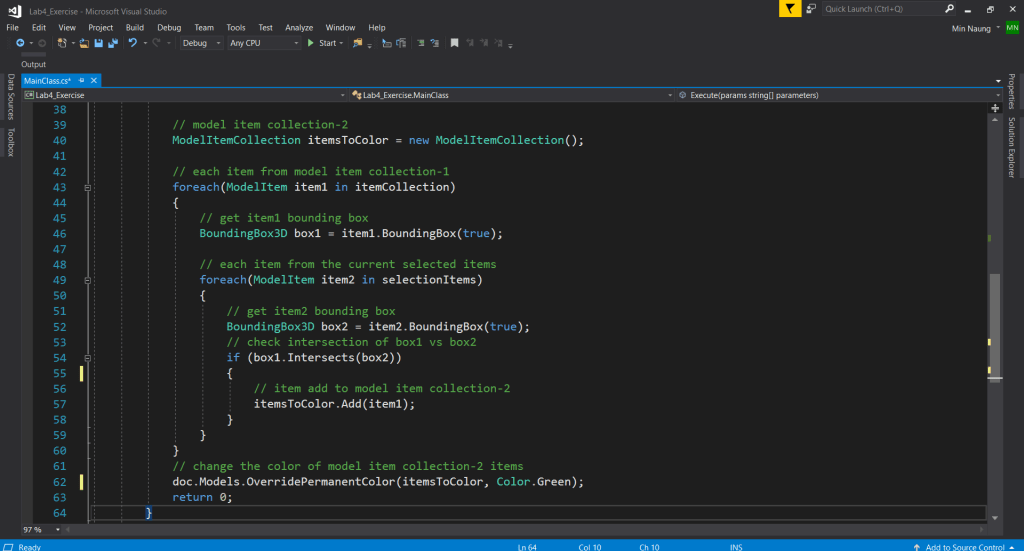
Override the color of intersect items, OverridePermanentColor method from DocumentModels class with two arguments: ModelItems and Color object. Finally, return an int object. (figure 1.3)
   {
            // model item collection-2
            ModelItemCollection itemsToColor = new ModelItemCollection();

            // each item from model item collection-1
            foreach(ModelItem item1 in itemCollection)
            {
                // get item1 bounding box
                BoundingBox3D box1 = item1.BoundingBox(true);

                // each item from the current selected items
                foreach(ModelItem item2 in selectedItems)
                {
                    // get item2 bounding box
                    BoundingBox3D box2 = item2.BoundingBox(true);
                    // check intersection of box1 vs box2
                    if (box1.Intersects(box2))
                    {
                        // item add to model item collection-2
                        itemsToColor.Add(item2);
                    }
                }
            }
            // change the color of model item collection-2 items
            doc.Models.OverridePermanentColor(itemsToColor, Color.Green);
            return 0;
}
Well, this is the end of our Lab-4 exercise. You can get the complete source code from here. Cheers!
 TwentyTwo
Good job.
I’ve tried on-the-fly checks like this before, but found that for many models, without a reliable orientedBB, this can be so ‘low-cost’ as to be only passable.
Color overrides like this can mount up to being painfully slow sometimes. The potential is there for a bunch of helpful functions like this, but something always gets in the way 😿
LikeLiked by 1 person
Hi Jonathon, I wouldn’t recommend to use in production & that wasn’t the intention, too… For learning, exploring & tailoring … that’s much more appropriate 😉
LikeLike